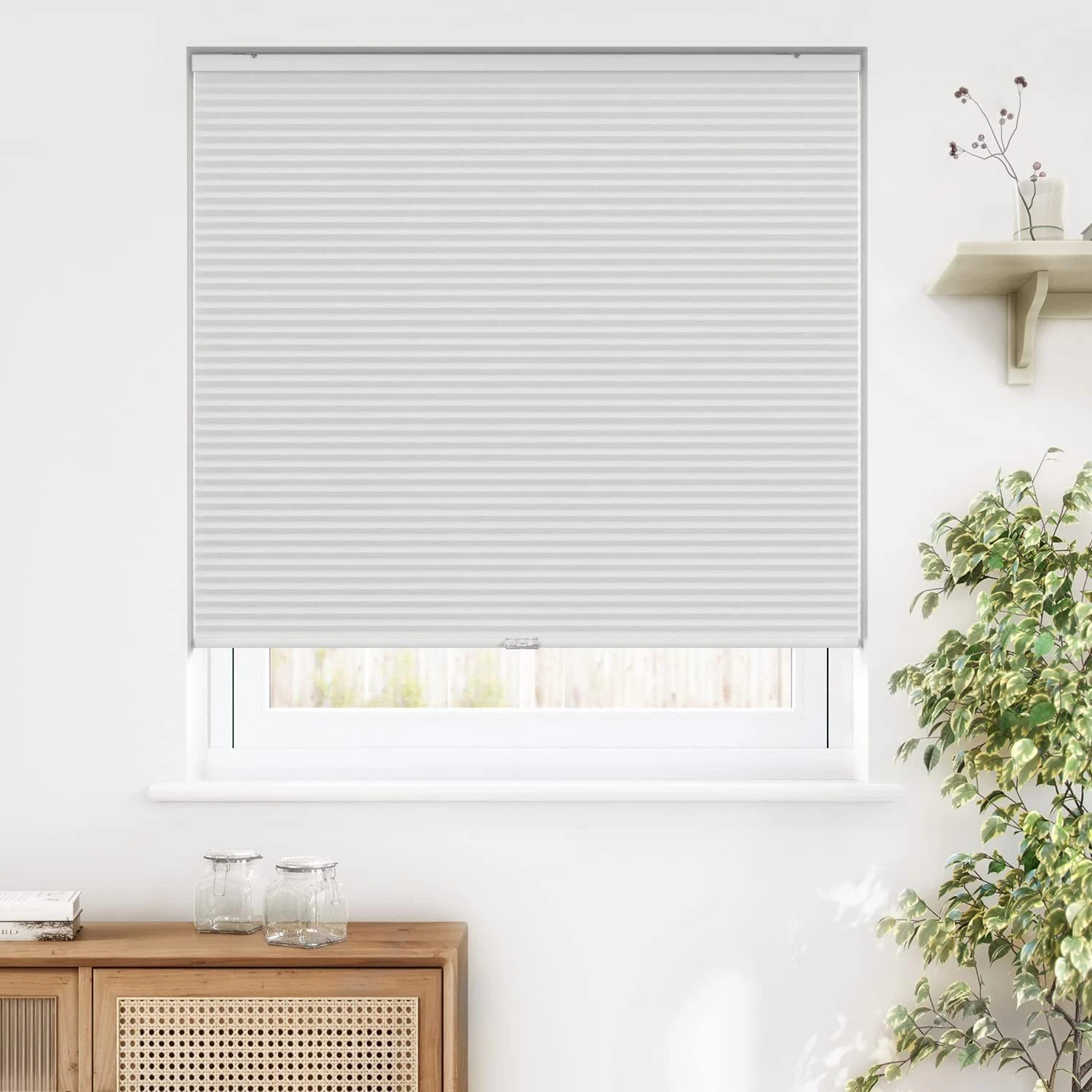
HDC Snow Drift Cellular Shade Cordless Light Filtering: Choose Size
USD $29.99
Condition : Open box
Free Shipping

Notify me when the price drops
We will email you if we find a lower price on this product!
- NOTE: The shades/blinds are 0.25 in. (0.95 cm) narrower than the order size (or the size shown on the box)
- For an Inside Mount, just measure the inside width and length of the window.
- For an Outside Mount, add approximately 4 in. to the width (2" each side) and height for optimum light control and privacy
- Cordless shade offers child and pet safety
- Soft and durable spun lace fabric softly filters light
- Energy efficient excellent insulation qualities
- Luxurious white color complement any home décor
- White backing for clean street-side appearance
PLEASE READ OUR POLICIES BEFORE BUYING.
Payment
We accept PayPal with confirmed address only. Payment is due on the 3rd day of purchase.
Shipping
Listings that offer Free shipping services are valid ONLY for the lower 48 states. If you are not part of the lower 48 states, please contact us for shipping rates.
Unless stated otherwise, all orders will ship within 1-2 days of your payment being processed. Shipped using USPS or Fedex, depending the location and package weight.
We ship globally when permitted using eBay?s GSP(Global Shipping Program); the ítem is sent to a logistics center in KY and shipped from there to the rest of the world. International customers are responsible for all duties and taxes.
Returns
We stand behind our products. Returns will be accepted within 30 days from the date you receive the merchandise; ONLY if the ítem is not as described. Return Items must be in the original condition it was received, and with the same original packaging. This warranty does not cover damages caused by accident, liquid, neglect, abuse, or misuse. We'd not honor the warranty if you modify or replace the ítem or any part or serial numbers. Damages resulted during shipping should be reported to the dispatcher if possible, take a picture of the damage and please send us an email, to initiate the insurance claim. Please contact us before returning an item for further instructions.
Return shipping is the responsibility of buyer unless the return is a result of our mistake.
Feedback
Customer satisfaction is very important to us. If you have any problem with your order, please contact us and we will do our best to solve the issue. Please do not leave a negative feedback before we resolve your problem.
We consider a transaction to be complete when the buyer has received the merchandise and is satisfied with their purchase, indicating so by leaving us positive feedback. If you receive merchandise not as described, please contact us and let us know.
Contact Us
If you have any inquiries, please contact us via eBay messages. We usually respond within 24 hours.
Electronic Products disclaimer
The electronic products we sell are manufactured according to US Electrical Standards and Codes. If you purchase these products to use in a country outside of the United States we cannot guarantee they will work properly. We assume no responsibility if the items malfunction or cause an accident because one tried to use the product with foreign electrical standards. The use of a converter or other voltage transforming device is at your own risk.
Thank you for your visit!
Help- How can I restrict specific buyers from bidding on my items?
You can update your buyer requirements to exclude certain buyers. For example, buyers living in a country you aren't willing to ship to.
Go to Buyer requirements - opens in new window or tab, choose the requirements you'd like to apply to your listings, and Submit.
- Some of my features are missing
We're streamlining our listing tool to create a better experience for our sellers. While we've removed some features, we've added tools to make it quicker and easier for you to sell on eBay.
You can now manage photos directly on your listing page, track items by SKU (custom label), and add variations in one simple multi-quantity listing.
- How do I add photos?
Simply select Add photos and choose the images you'd like to display.
If your photos are already hosted elsewhere, select Copy your photos from a web address and enter the URL. You can add up to 12 images to your listing for free.
- What does 'Prefill this listing with eBay catalog info' mean?
We have a catalog of product details which includes item specifics and photos. Select this option to add these details to your item automatically.
If you'd rather add your own description, just uncheck the box.
- My listing templates are missing
Older listing templates are no longer compatible, but you can create new listing templates:
- In the Listing templates section, select Create new template
- Once you've created a listing, select Save as template
- In the Actions column on your Seller Hub Listings page, select Save as template
- Can I edit an active listing?
You can revise certain details depending on the listing format, the time remaining, and whether you've received any bids or purchases. However, in most cases you can't change the listing duration or format. Learn more about editing listings - opens in new window or tab.
- Why don't I see the 'Switch to quick listing tool' option?
The business tool is more suitable for some members, so the Switch to quick listing tool option is not available to all sellers.
- How can I restrict specific buyers from bidding on my items?
You can update your buyer requirements to exclude certain buyers. For example, buyers living in a country you aren't willing to ship to.
Go to Buyer requirements - opens in new window or tab, choose the requirements you'd like to apply to your listings, and Submit.
- Some of my features are missing
We're streamlining our listing tool to create a better experience for our sellers. While we've removed some features, we've added tools to make it quicker and easier for you to sell on eBay.
You can now manage photos directly on your listing page, track items by SKU (custom label), and add variations in one simple multi-quantity listing.
- How do I add photos?
Simply select Add photos and choose the images you'd like to display.
If your photos are already hosted elsewhere, select Copy your photos from a web address and enter the URL. You can add up to 12 images to your listing for free.
- What does 'Prefill this listing with eBay catalog info' mean?
We have a catalog of product details which includes item specifics and photos. Select this option to add these details to your item automatically.
If you'd rather add your own description, just uncheck the box.
- My listing templates are missing
Older listing templates are no longer compatible, but you can create new listing templates:
- In the Listing templates section, select Create new template
- Once you've created a listing, select Save as template
- In the Actions column on your Seller Hub Listings page, select Save as template
- Can I edit an active listing?
You can revise certain details depending on the listing format, the time remaining, and whether you've received any bids or purchases. However, in most cases you can't change the listing duration or format. Learn more about editing listings - opens in new window or tab.
- Why don't I see the 'Switch to quick listing tool' option?
The business tool is more suitable for some members, so the Switch to quick listing tool option is not available to all sellers.







 .
.
